Product/Reviews & governance
Architecture decisions with a proper paper trail.
Reviews, approvals, history and decision records, built in. Show who agreed what, when and why, without a single spreadsheet or a lost email thread.
Reviews Basic and above
Approvals that hold up.
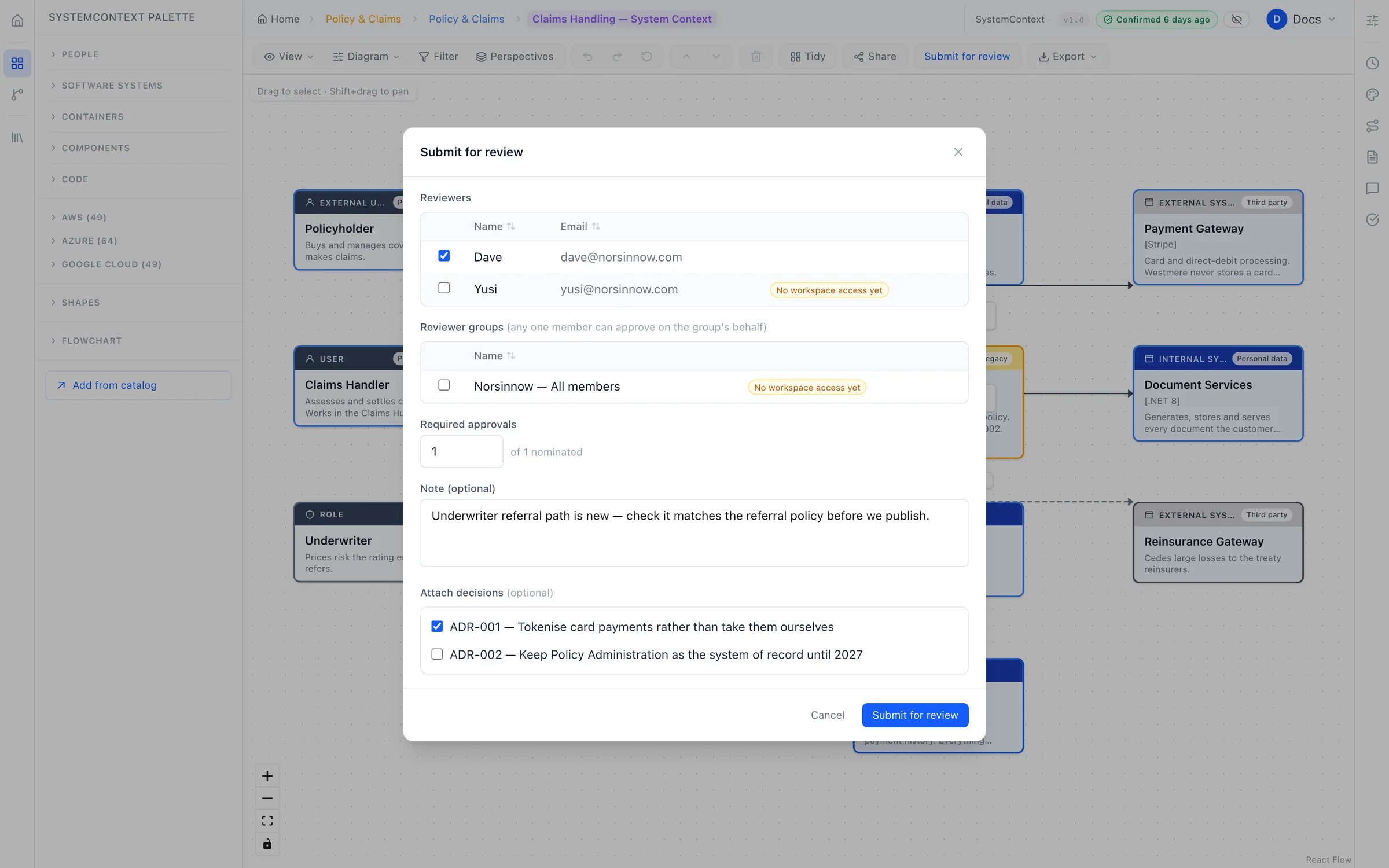
Send a design to the people who need to agree it, and decide how many of them must sign off. Reviewers comment on the exact box or line they mean, ask for changes, and approve when it's right.
- Ask people or whole teams. Any member of a team can approve on its behalf.
- No marking your own homework. Nobody can approve their own submission.
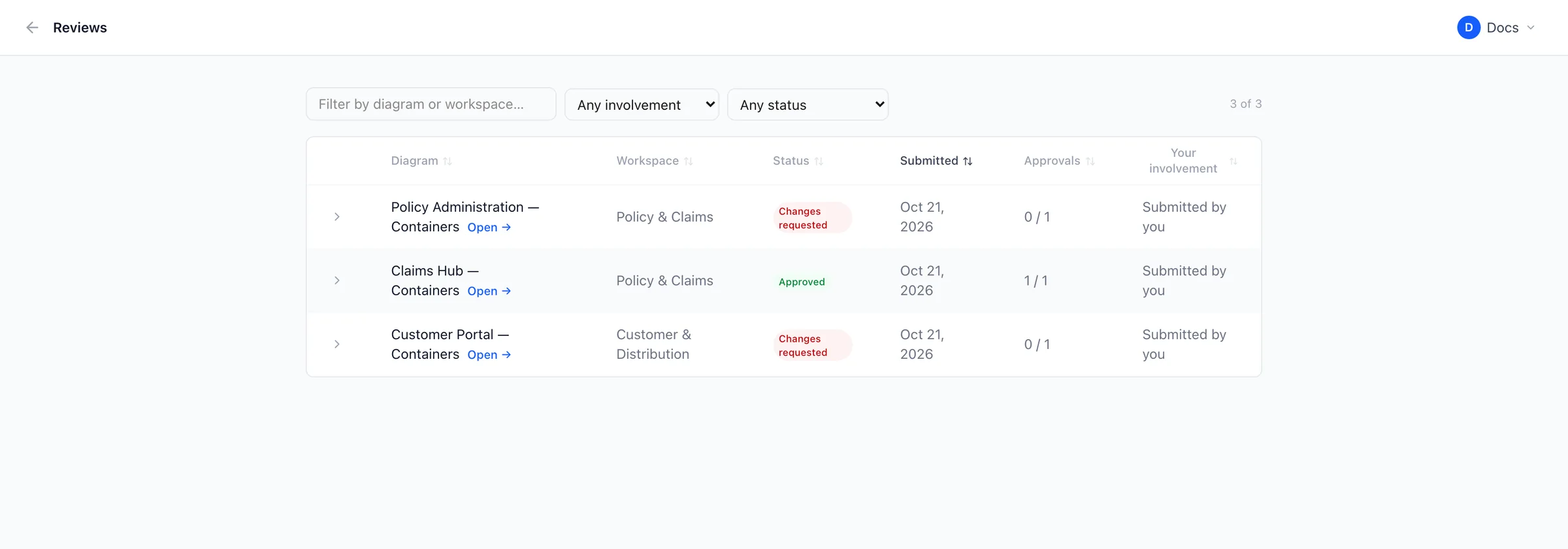
- One queue showing everything waiting on you, and everything you're waiting on.
- Only approved designs can publish to the shared catalog, so it stays trustworthy.
History
Every change, explained.
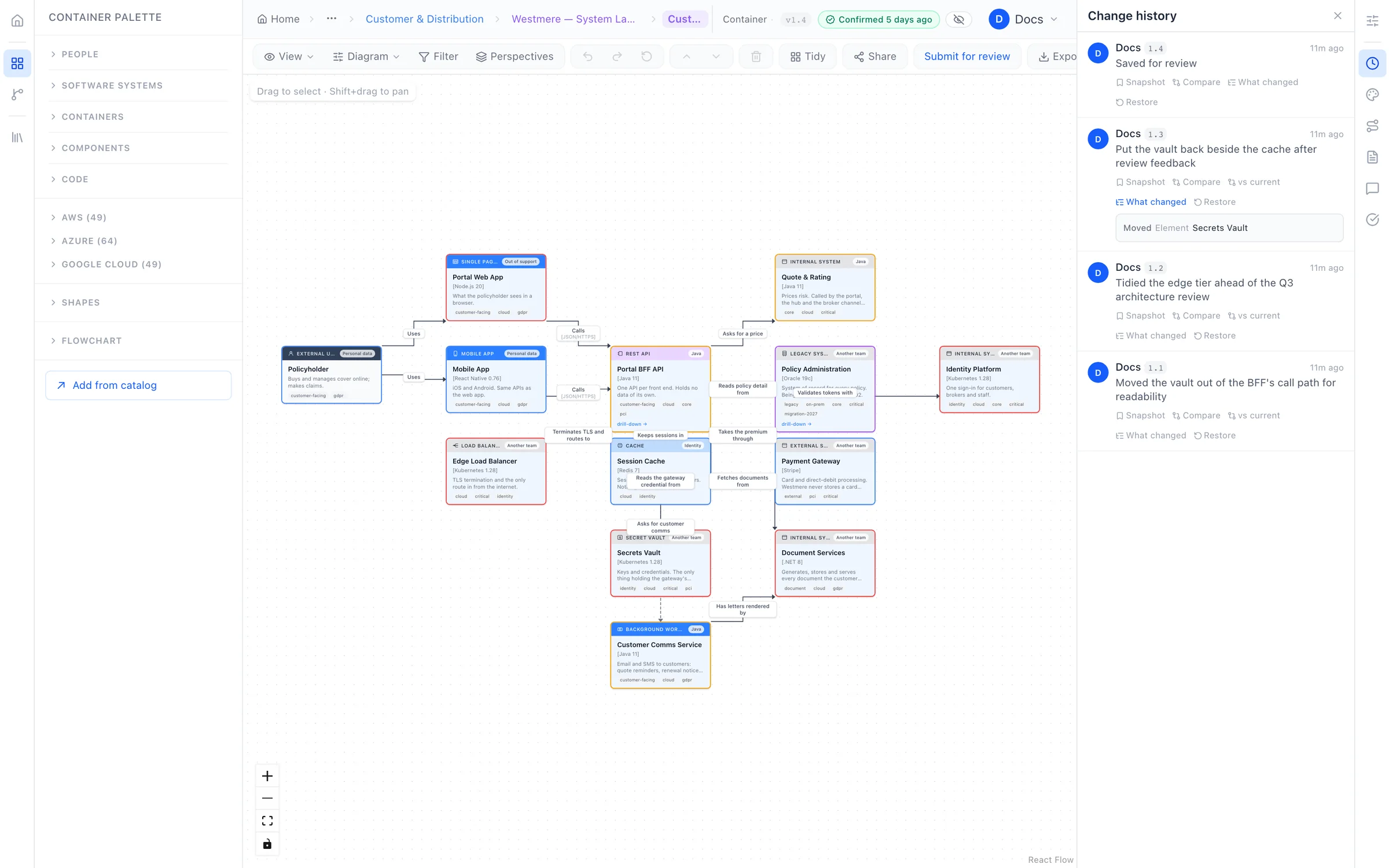
Every save records what changed and a short note on why, so your history reads like a record of decisions rather than a list of timestamps. Compare any two versions side by side, and restore any of them in one click.
- Approved versions are kept exactly as they were signed off.
- Restore safely. Going back adds a new version; nothing is ever erased.
Decision records Basic and above
Record why, not just what.
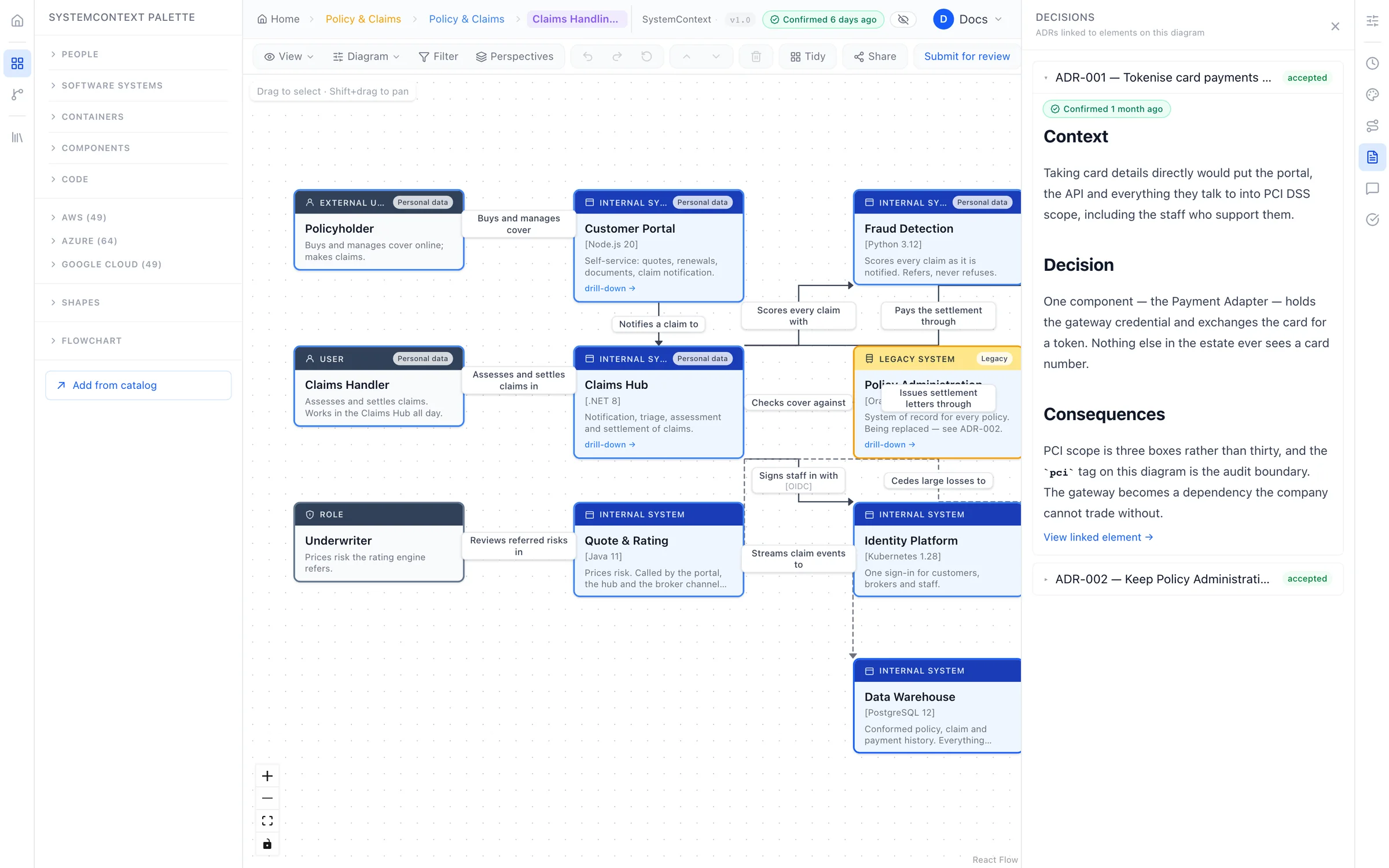
Capture architecture decisions next to the systems they affect. Each one moves from proposed to accepted, and when it's replaced, the old one is kept and linked to the new, so you can always trace how you got here.
- Attach decisions to a review, so approvers see the reasoning.
- Nothing is deleted. Superseded decisions stay in the record.
Conversations
Discussion where the work is.
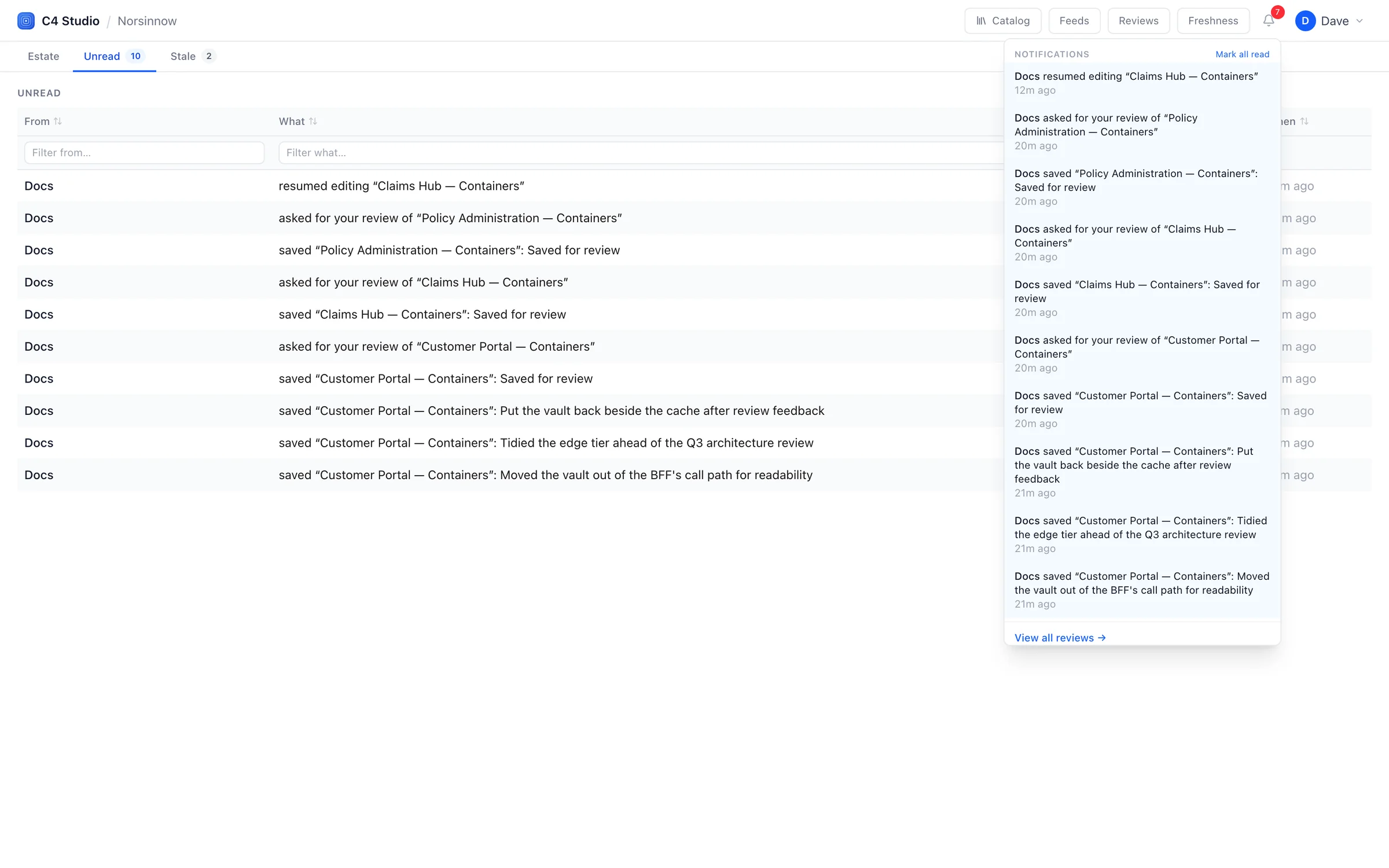
Comment on any system, connection or diagram, mention a colleague or a whole team, and resolve the thread when it's settled. Everyone gets a personal inbox and a daily digest, so nothing important slips by.
- Watch anything you care about, even if you don't own it.
- Slack and Teams alerts Advanced for the events your teams choose.
Audit log
An audit trail nobody can edit.
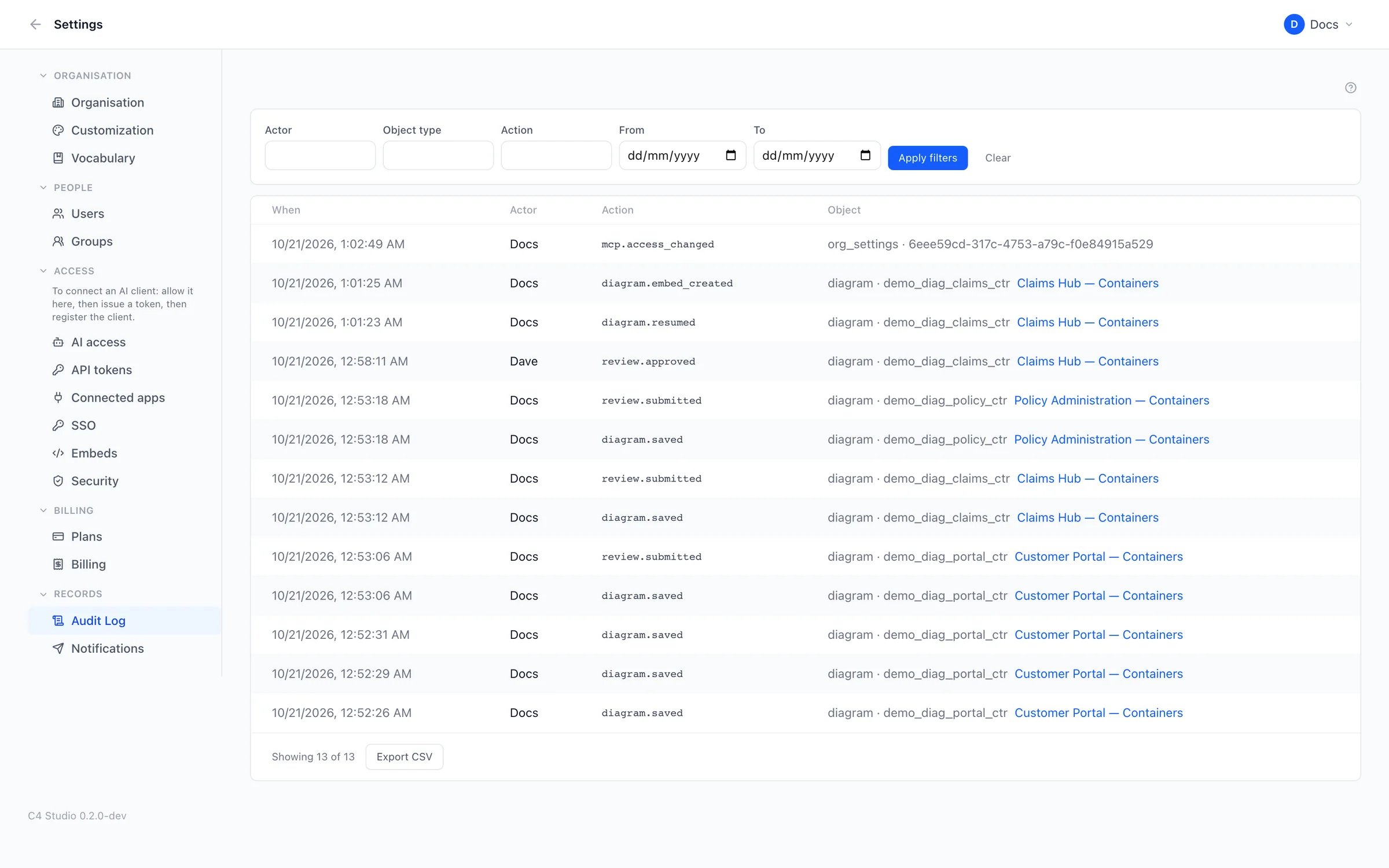
Every administrative action is written to a log that can only ever be added to. Filter it, see exactly what changed, and export it to CSV for your auditors.
Structure that matches your organisation.
Not one flat folder. Voussar mirrors how your organisation actually works.
Departments and workspaces
Group work by department, nested as deep as your plan allows, with workspaces for each team.
Roles that make sense
Owners, editors and viewers for each workspace, plus organisation admins.
Groups
Give access to a team in one step, rather than to twenty people one at a time.
Ownership that lasts
Teams can own things too, and anything a leaver owned must be handed over first.
Controlled invitations
Limit invitations to your company's email domains.
Claim your domain
Verify your email domain, and colleagues who sign up are pointed to your organisation.
Put your architecture on solid ground.
Start free and bring one real system across. You'll know within an afternoon whether your diagrams can stay true.
Free plan forever · 14-day trial of every paid plan · Hosted in the UK