Product/Architecture catalog
One source of truth for everything you run.
Every system, service, database and third party your organisation depends on, described once, owned by someone and shared by every team. Your diagrams are drawn from it, so they can't disagree.
Search
Find anything in seconds.
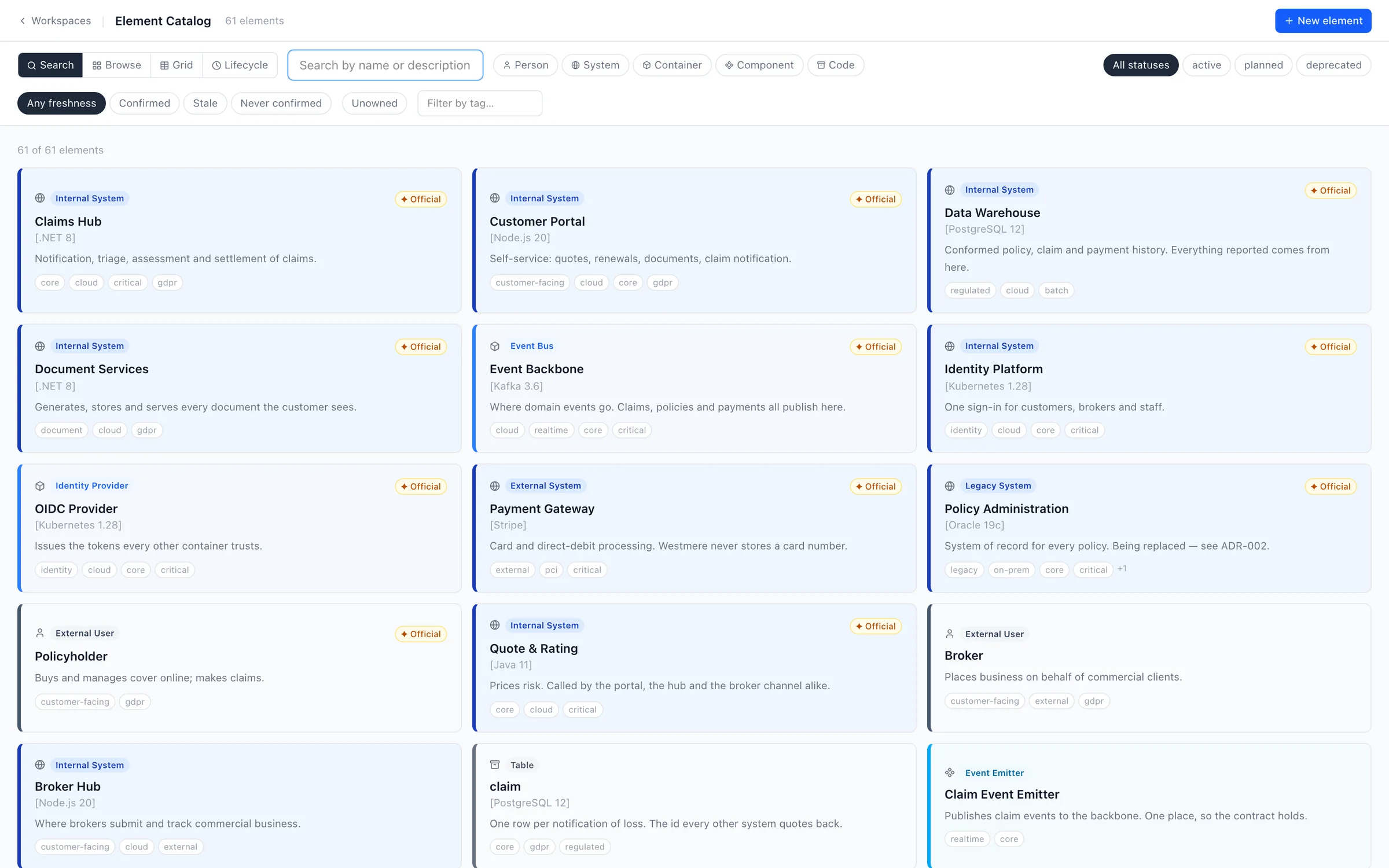
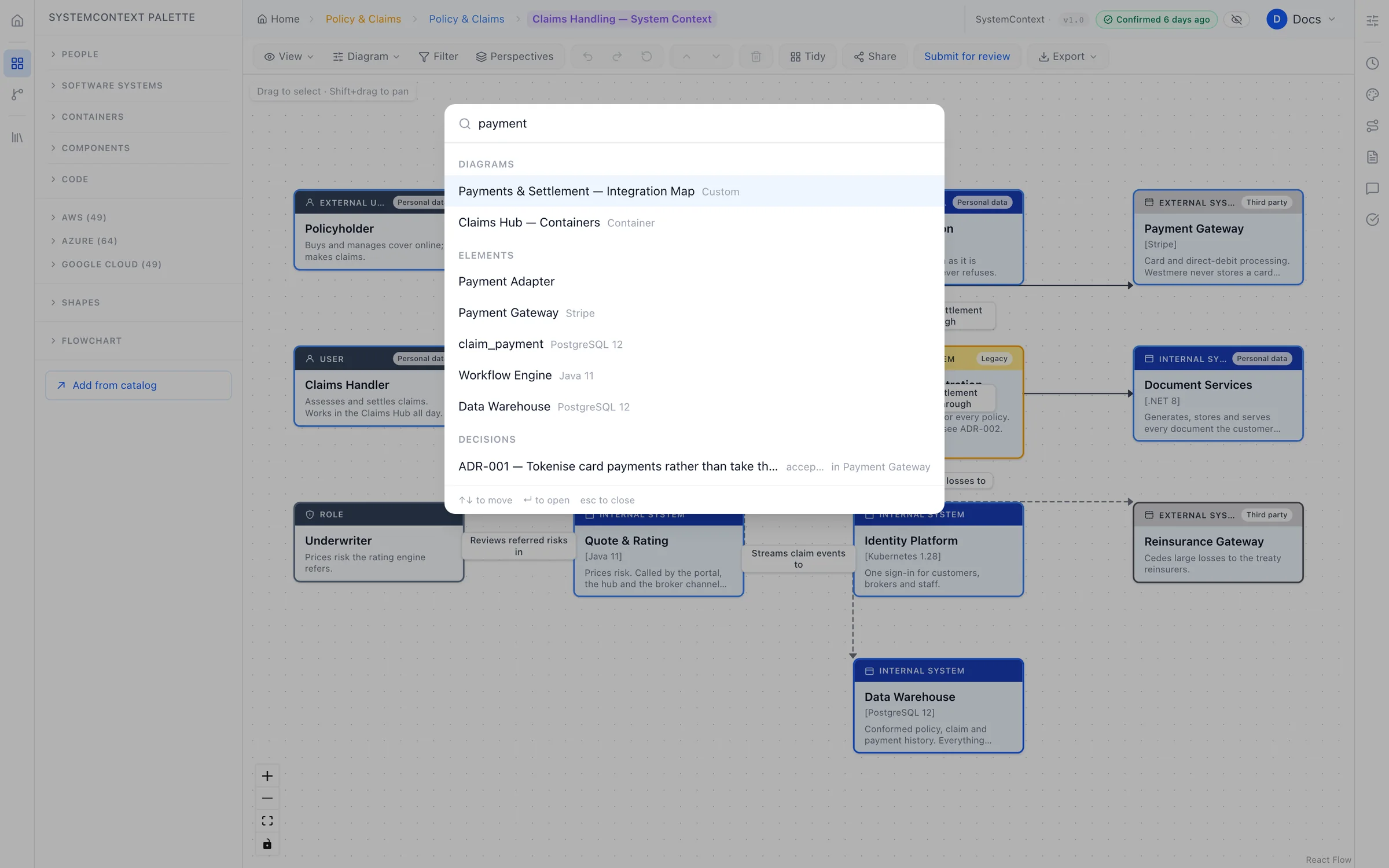
Search every team's architecture at once: systems, diagrams, decisions and data flows. Then narrow it down by type, status, team, tag or how recently it was checked.
- Four ways to look: search, browse by team, a visual grid, or by lifecycle stage.
- Answers for new starters on day one, without booking time with an architect.
Reuse
Publish once. Every team reuses it.
When a design is approved, its systems are published to the catalog. Other teams drop them straight into their own diagrams instead of redrawing them, and see your changes the day you make them.
- Read-only to everyone else, so only the owning team can change what they own.
- An "Official" badge Advanced tells every team which version to use.
- A catalog people trust, because only approved work gets in.
Impact analysis
Know what breaks before you change it.
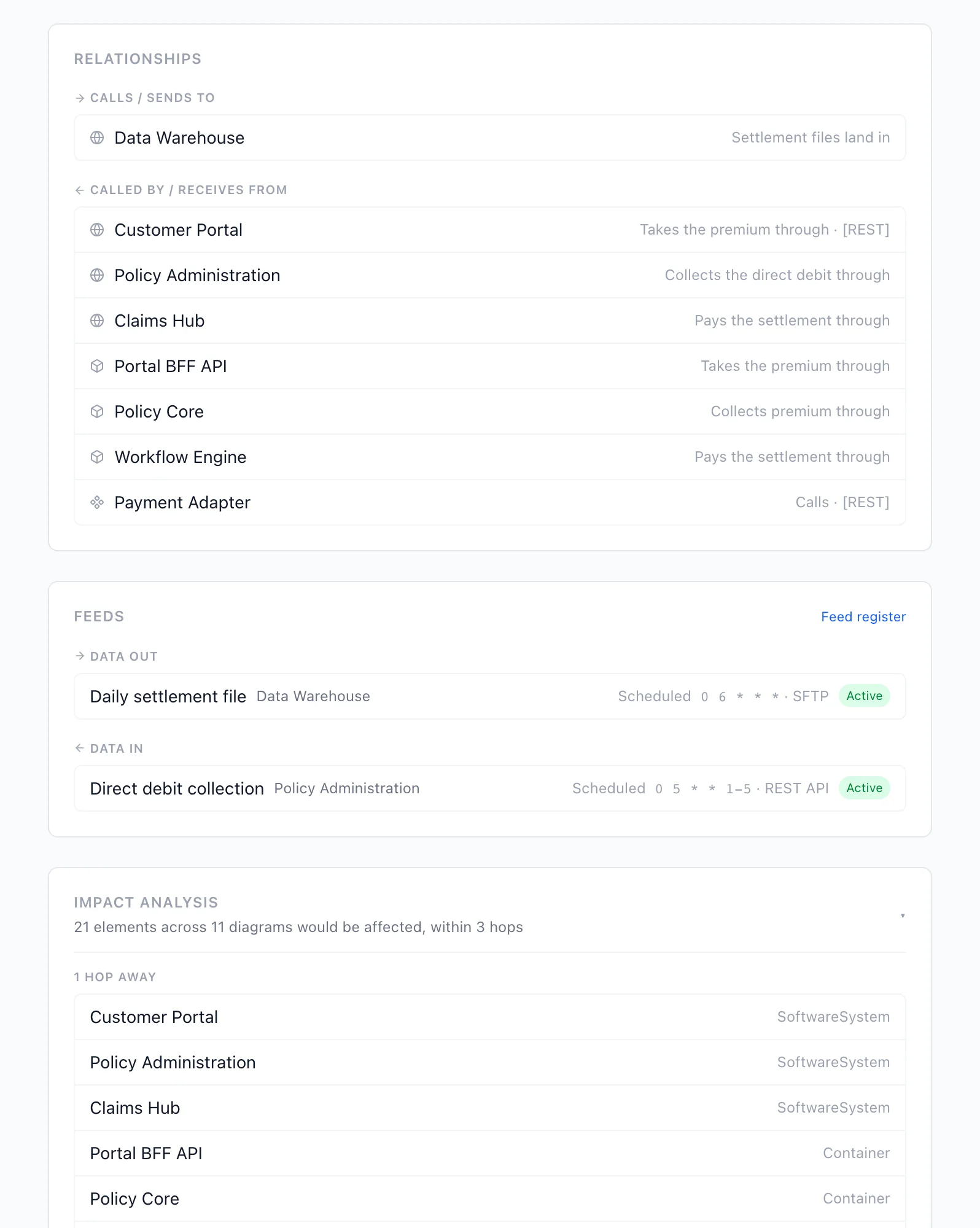
Every entry shows what it depends on, what depends on it, and how far a change would ripple, along with every diagram it appears in across the organisation.
- Retire legacy with confidence: see who still relies on it before you switch it off.
- Decisions in context: the decision records behind each system, right on its page.
Freshness
Know what's still true.
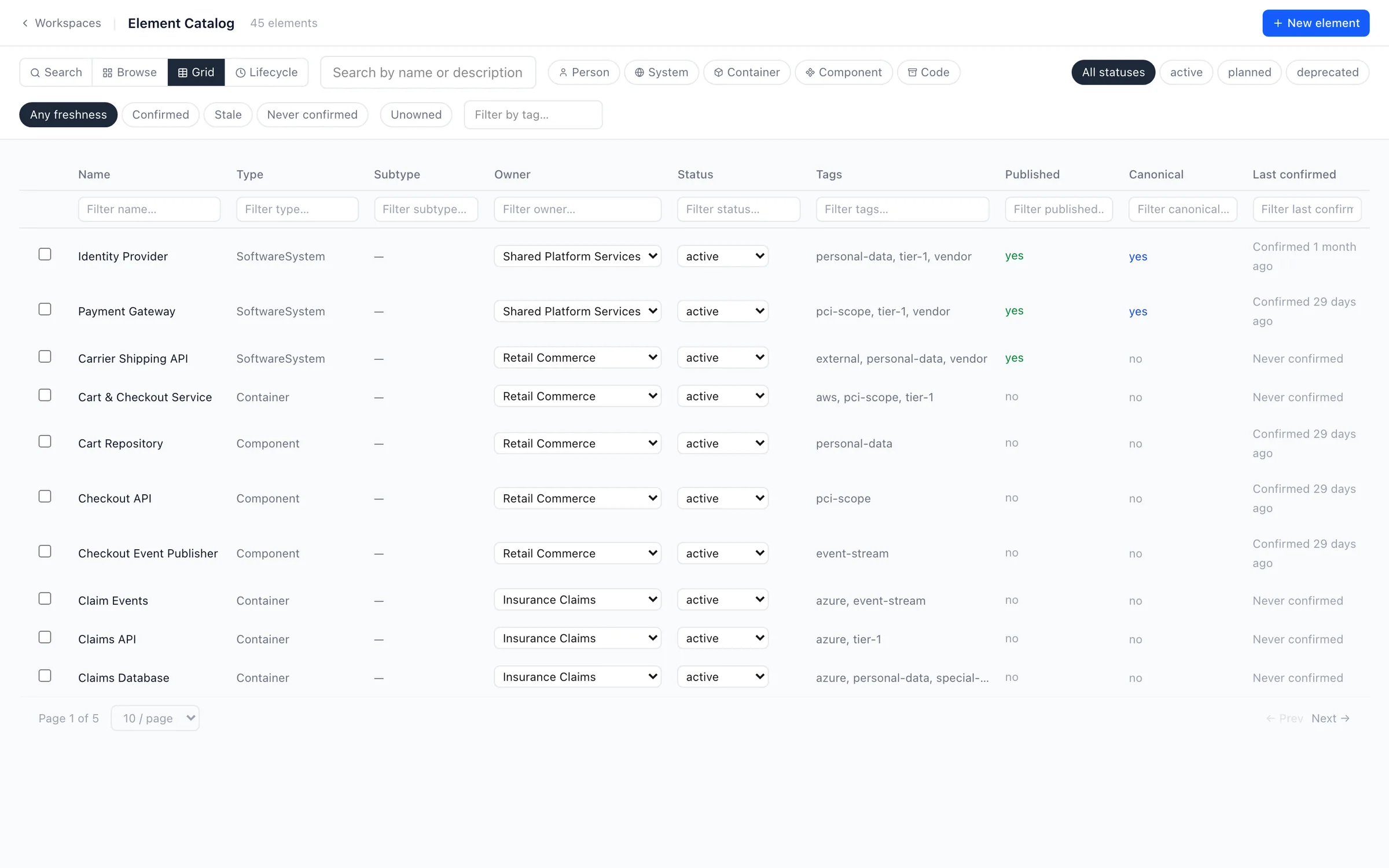
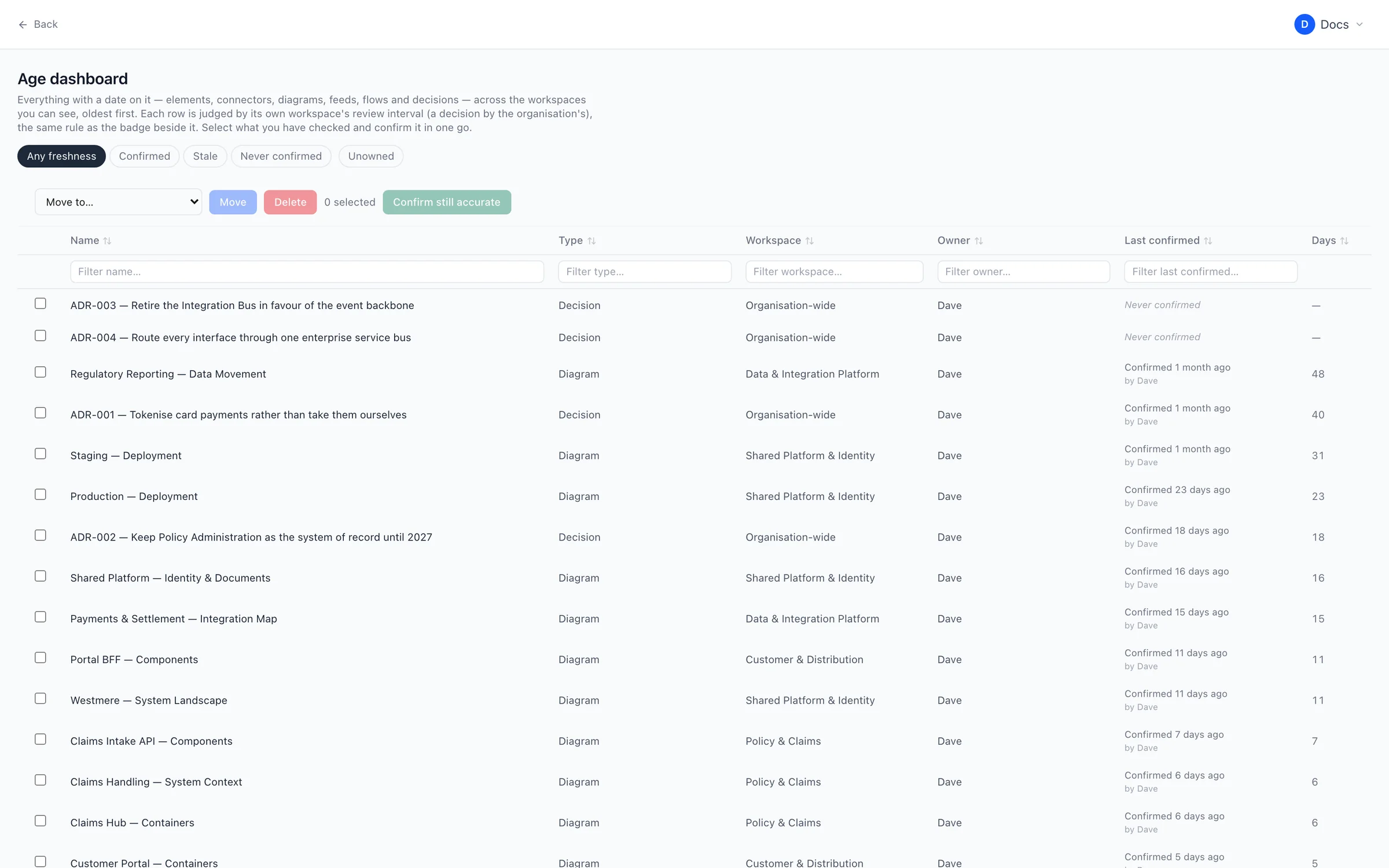
Every system, connection, diagram and decision shows when someone last confirmed it was accurate. Anything that hasn't been checked within your review period is flagged, and its owner is reminded.
- An at-a-glance dashboard of what's current, what's stale and what's never been checked.
- Confirm in bulk, a whole diagram at a time.
- Your rules: set the review period for the organisation, or per team.
Everything a good catalog needs.
Clear ownership
Every entry is owned by a person or a team, so ownership survives people moving on.
Lifecycle status
Planned, active or deprecated, shown on every diagram that uses it.
End-of-support tracking
Record when technologies reach end of support, and see everything that runs on them.
Tags and descriptions
Describe each system in plain language, and tag it however your organisation thinks.
Where it's deployed
See which environments each service runs in, straight from your deployment diagrams.
Linked data flows
The integrations going in and out of every system, with what they carry.
Put your architecture on solid ground.
Start free and bring one real system across. You'll know within an afternoon whether your diagrams can stay true.
Free plan forever · 14-day trial of every paid plan · Hosted in the UK