Product/Diagramming
C4 diagrams anyone can draw, and everyone can read.
A fast, friendly canvas with the structure of the C4 model built in. Draw your systems in minutes, then go from the boardroom view to the engineering detail without redrawing a thing.
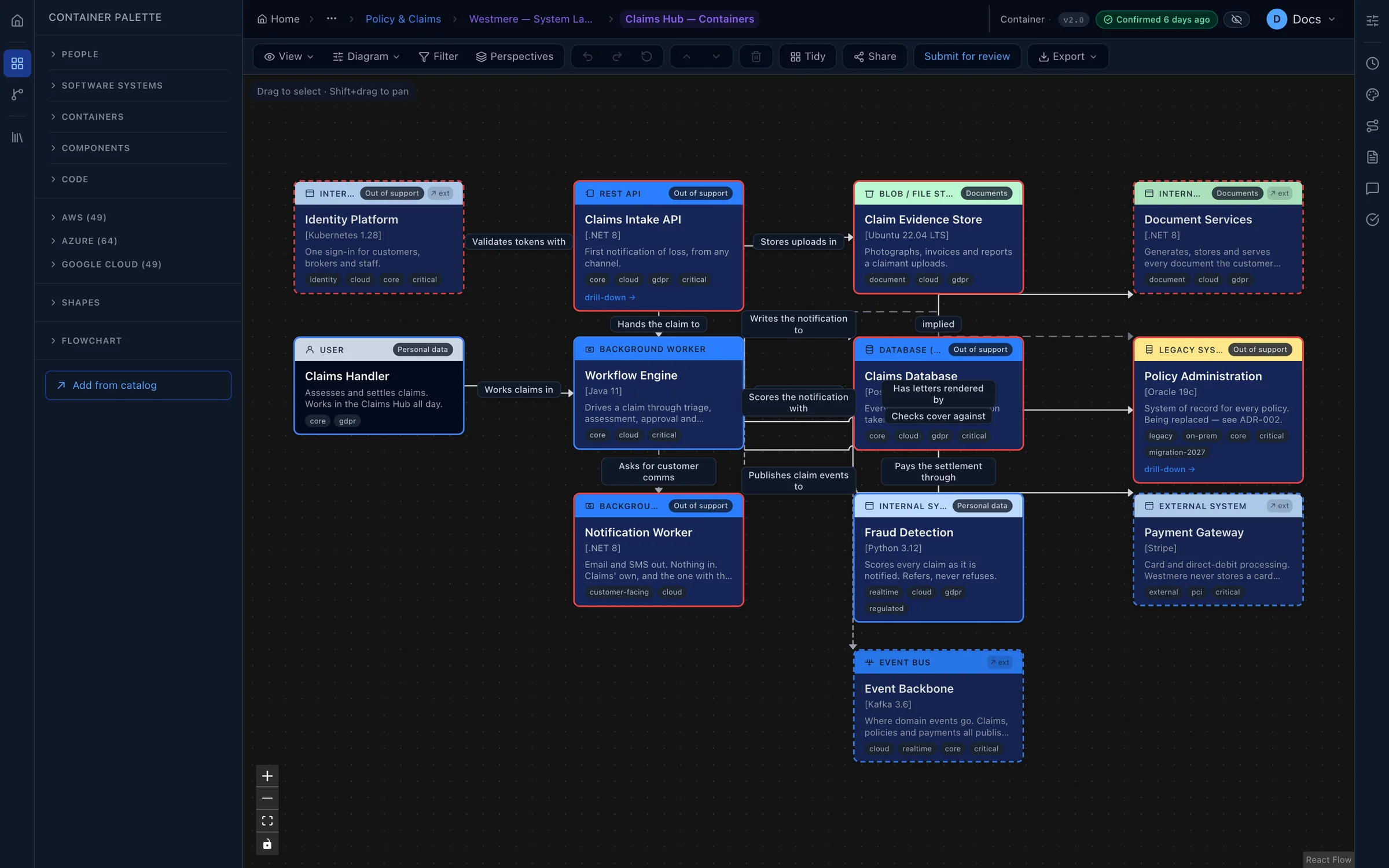
The canvas
Drag, drop, connect. Done.
Everything you need is in the palette, and only what makes sense at the level you're on, so diagrams come out consistent without anyone policing them.
- 162 cloud icons for AWS, Azure and Google Cloud, plus shapes and flowchart symbols.
- One click to tidy. Auto-layout straightens a messy diagram instantly.
- Lines that behave: add bends, move labels, and lines hop neatly where they cross.
- Fast to work with: undo and redo, copy and paste, keyboard shortcuts and a table view.
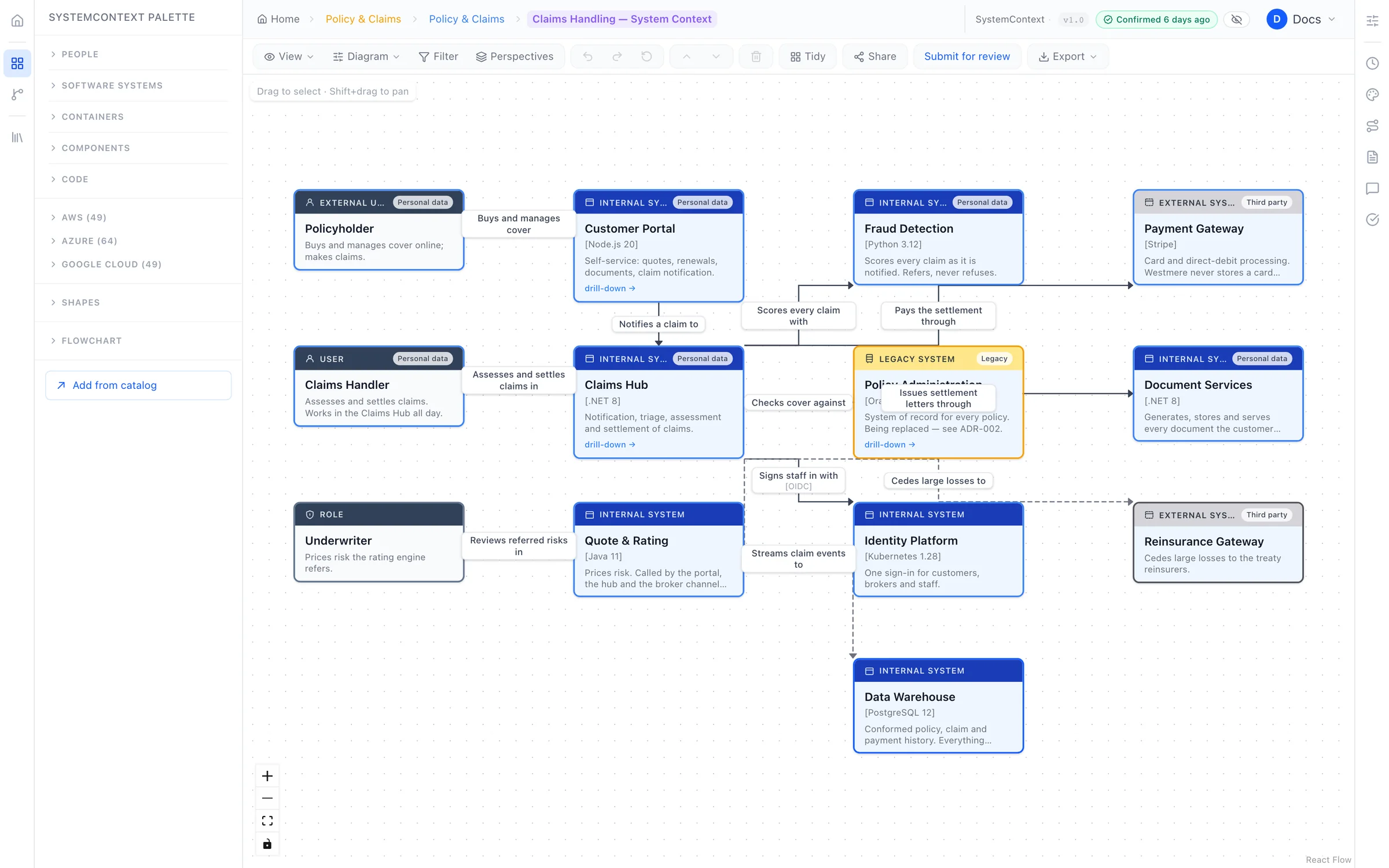
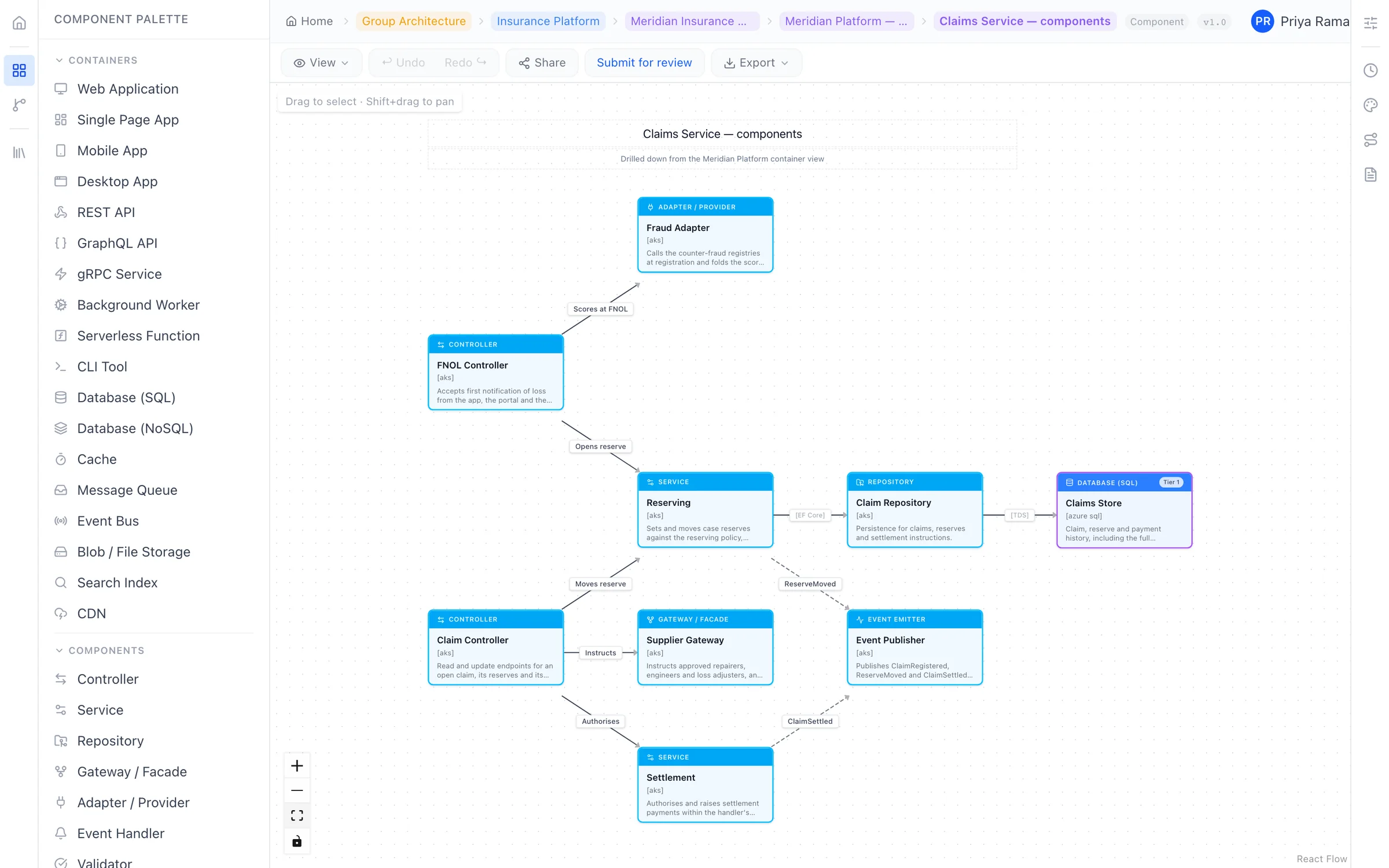
Zoom in, zoom out
From the big picture to the detail in one click.
Double-click any system to open it up. Every level shares the same model, so names, owners and statuses always match, and the trail back up is always in view.
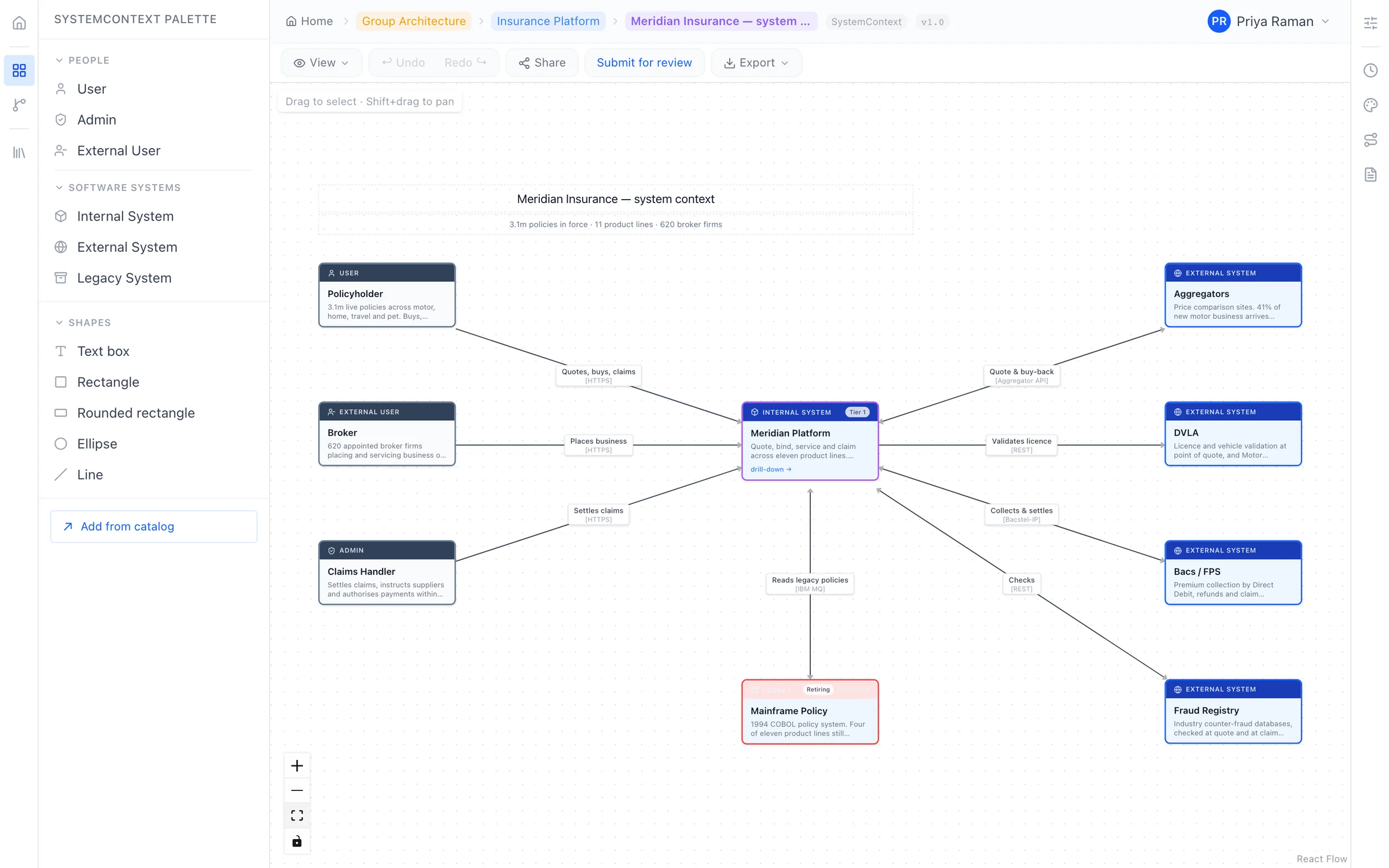
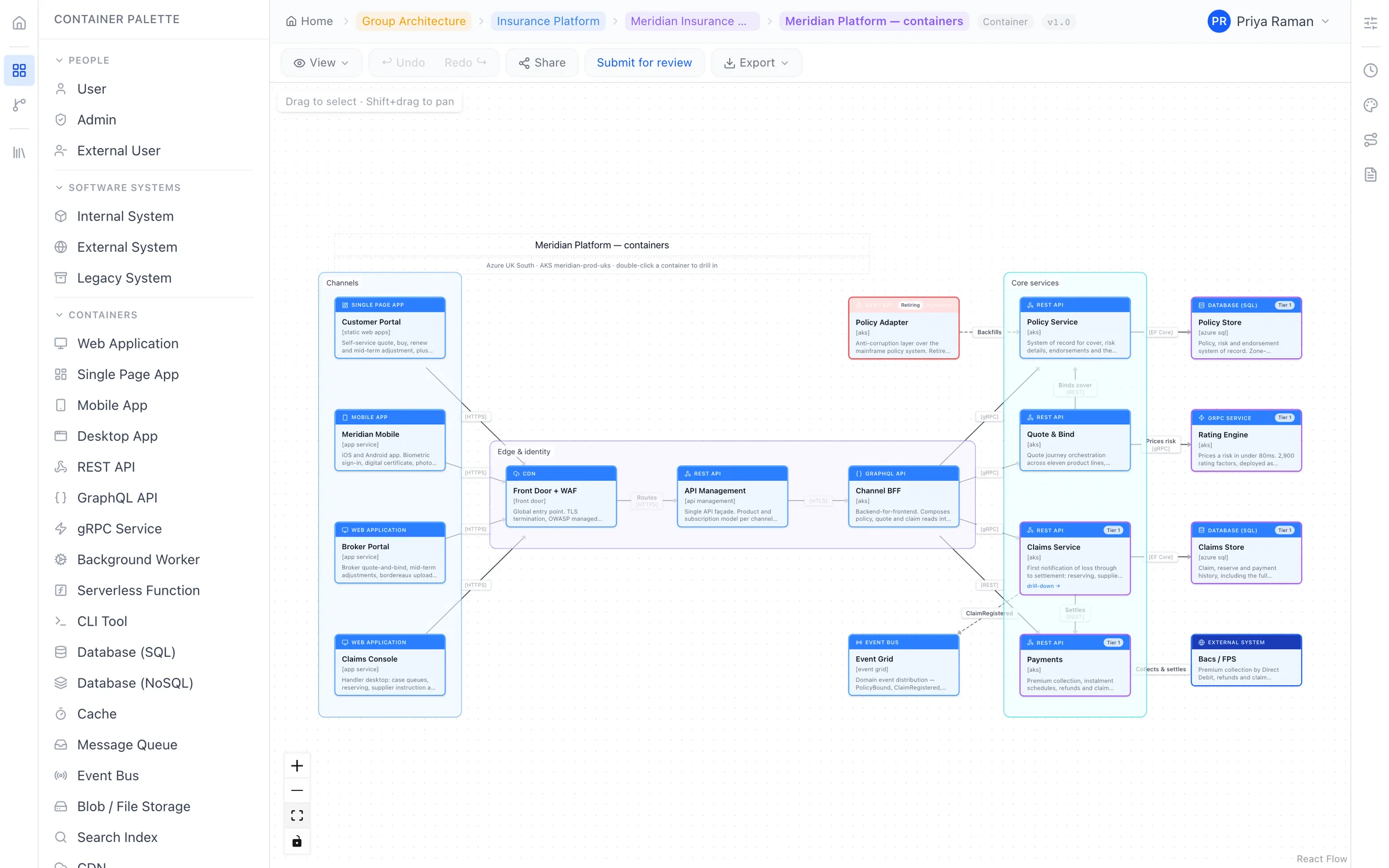
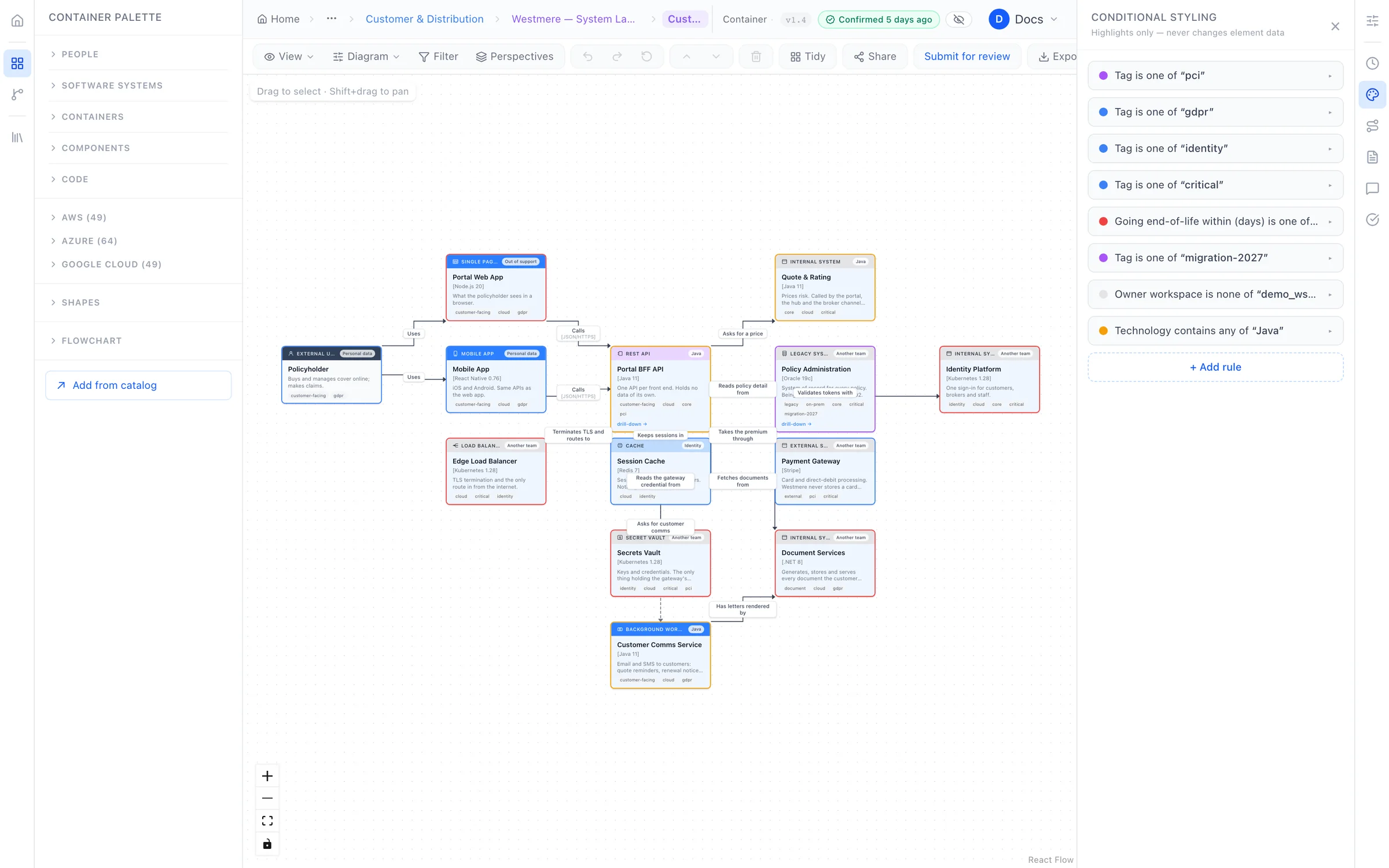
Styling rules
Make what matters stand out, automatically.
Set a rule once, such as "anything deprecated is amber" or "anything holding personal data gets a badge", and every diagram follows it. Nobody has to remember to recolour anything.
- Saved views let you switch between the version for engineers and the version for the board.
- Presentation mode turns any diagram into a clean, read-only view for meetings.
- Icon mode swaps boxes for cloud provider icons, ideal for stakeholders.
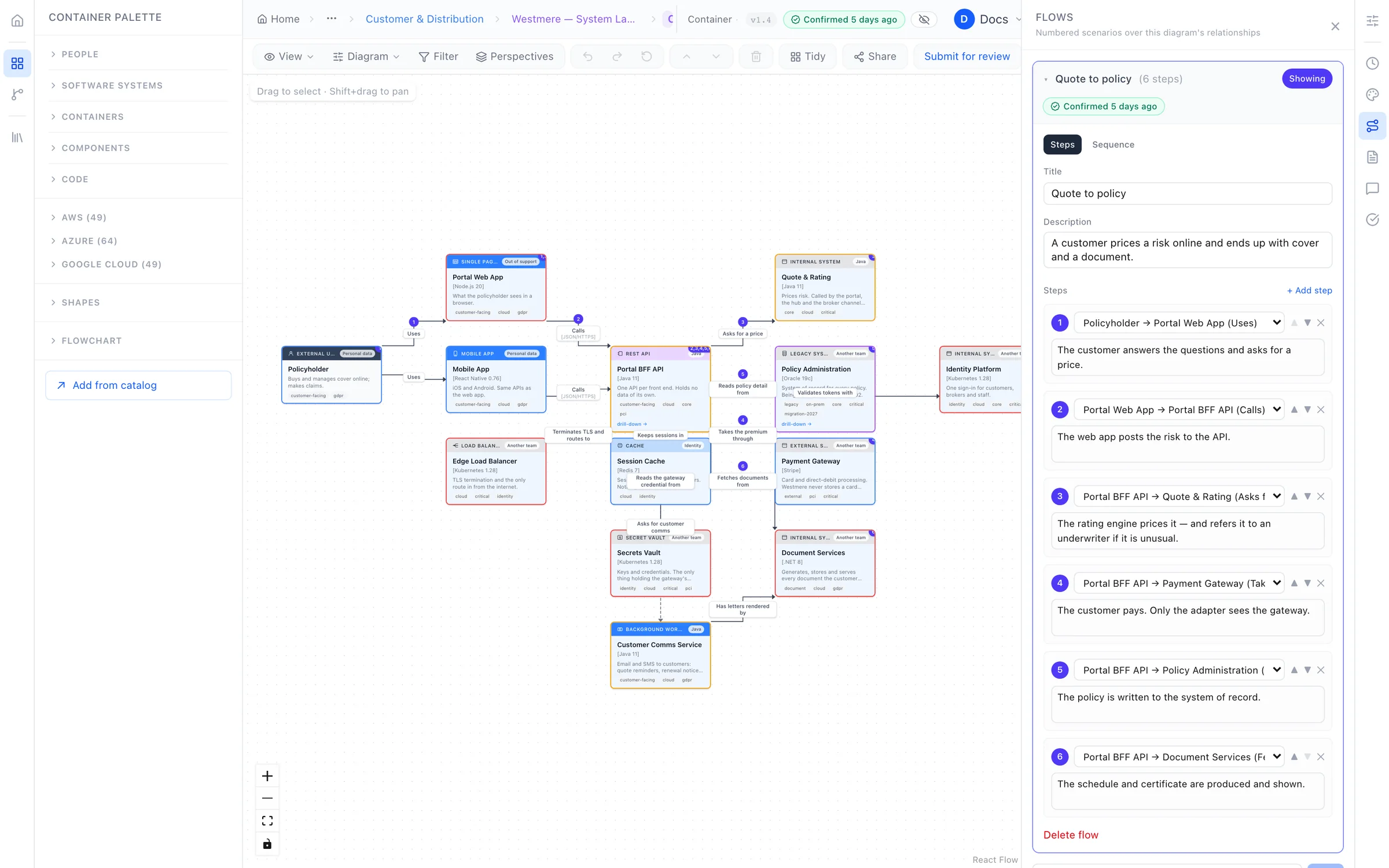
Flows Advanced
Walk anyone through how it works.
Lay a numbered scenario, like "a customer places an order", over a diagram you already have. Step through it in a meeting, or view it as a sequence diagram with one click.
- No second diagram to maintain. Flows use the connections that are already there.
- A sequence diagram for free, exportable for documents and slides.
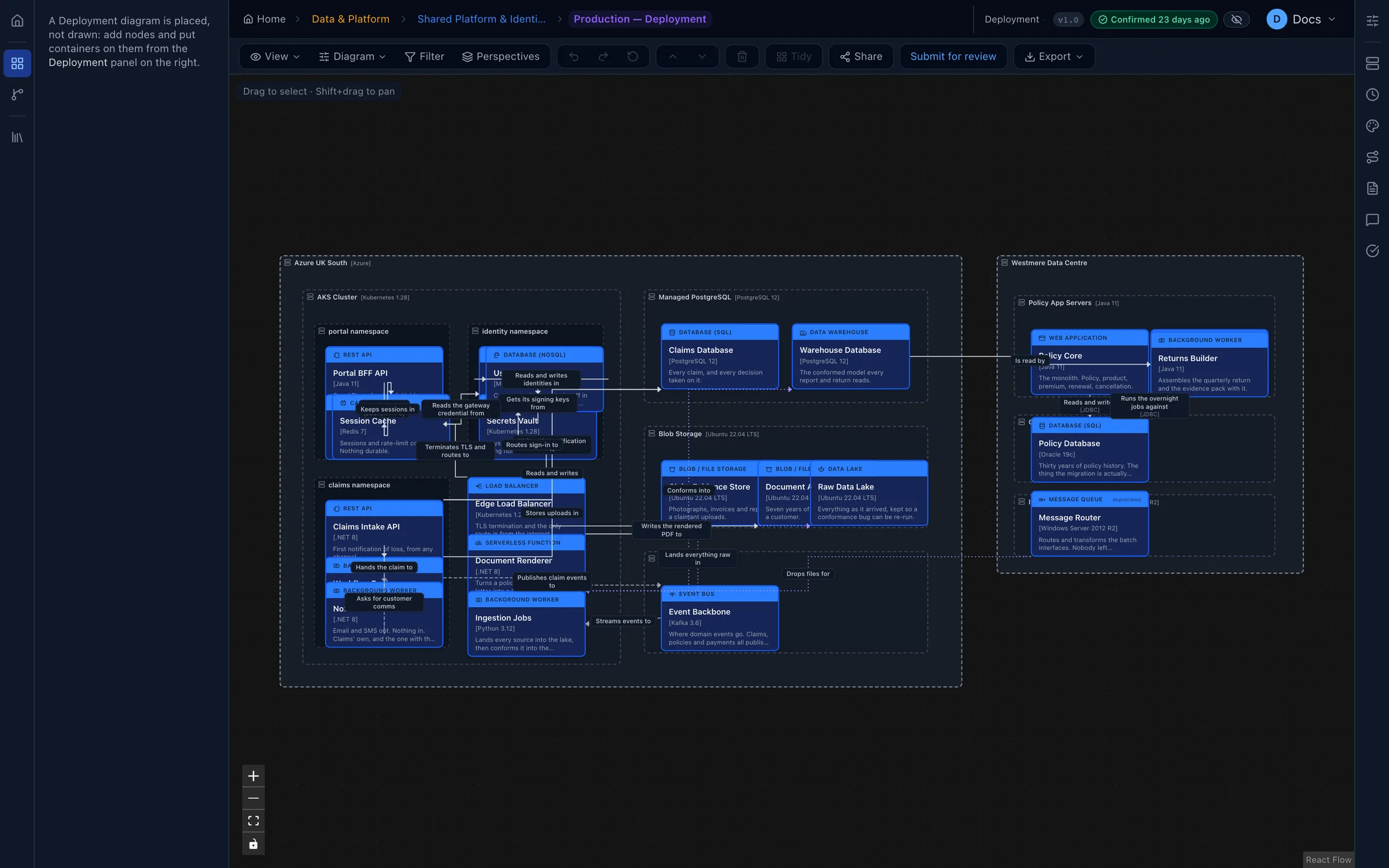
Deployment
See exactly where everything runs.
Map your services onto environments, clusters and regions. The catalog then shows where every service is deployed, so "is this running in production?" has a straight answer.
And all the details you'd hope for.
Six diagram types
System context, container, component, landscape, deployment and free-form custom diagrams.
Find your way around
A minimap, a tree of every diagram, and breadcrumbs back to where you started.
Never lose work
Voussar warns you before one person's save overwrites another's changes.
See who's looking
Know when a colleague has the same diagram open before you start editing.
Light and dark
Work in whichever you prefer, and export in either.
Board-ready export
PNG, JPEG, SVG and PDF, with optional legend, header and version footer.
Put your architecture on solid ground.
Start free and bring one real system across. You'll know within an afternoon whether your diagrams can stay true.
Free plan forever · 14-day trial of every paid plan · Hosted in the UK