Product/AI assistants
Bring your AI assistant to your architecture.
Connect Claude, ChatGPT or any assistant that supports the Model Context Protocol. Ask it anything about your estate, and let it draft diagrams and decision records for your team to approve.
Ask
Answers from your real architecture, not guesses.
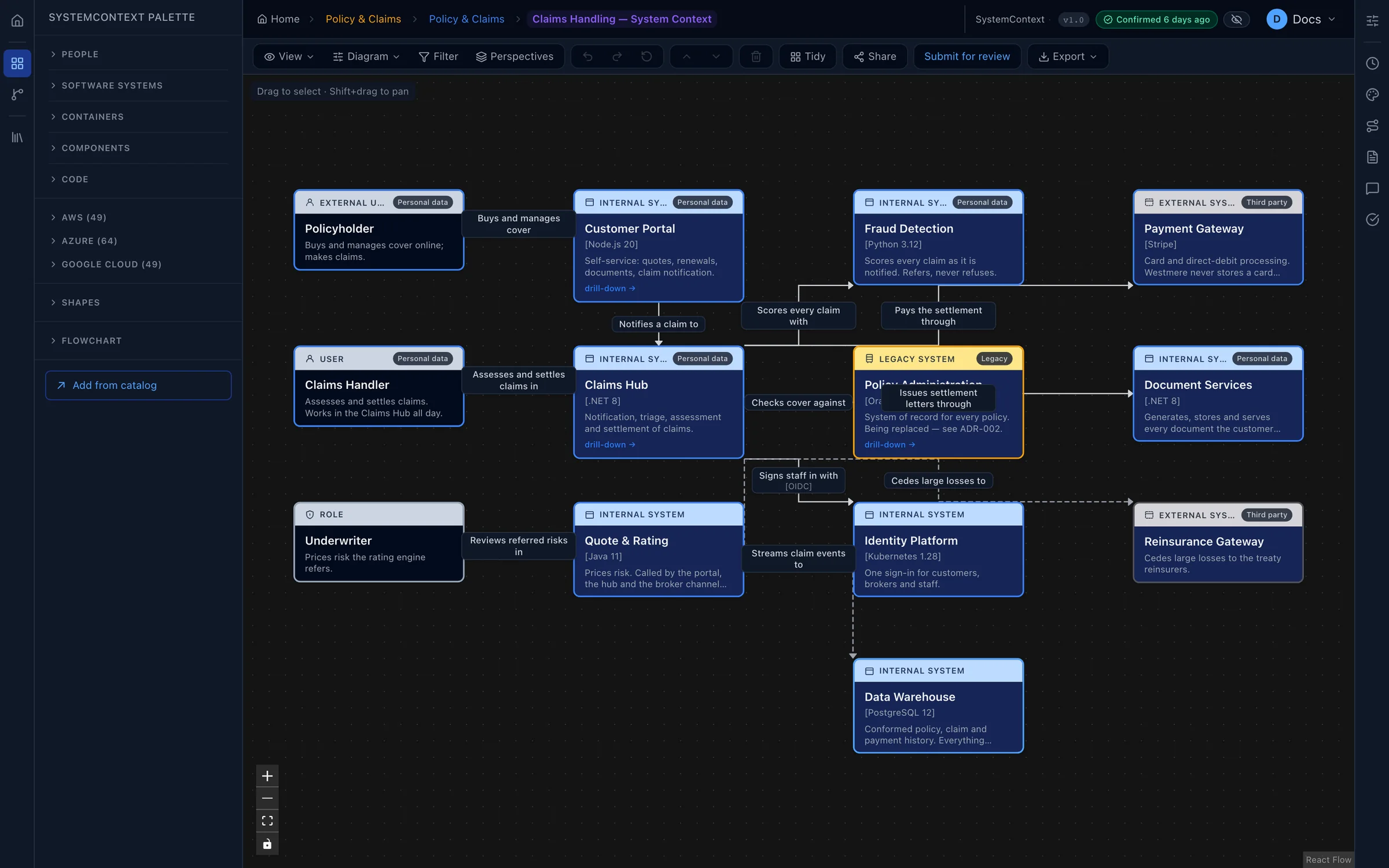
Your assistant reads the same catalog, diagrams, data flows and decisions your teams do, so its answers are grounded in what you actually run.
Draft
Let it do the drafting. You keep the say.
Hand your assistant a design document or a change note and ask it to model it. It shows you exactly what it plans to add before anything changes, then builds the diagram and lays it out.
- Preview first. Every change is proposed as a plan you can read before it's applied.
- Same approvals as everyone. Diagrams an assistant creates go through your normal review.
- Clearly marked. Anything it adds to the catalog shows as unconfirmed until a person checks it.
- It can't delete. Assistants can add and propose, but never remove.
Control
Your data, your rules.
Voussar runs no AI of its own and sends nothing to an AI provider. Your organisation's owners decide exactly who may connect an assistant, and every connection can be revoked in a click.
- Sign in to connect. Assistants connect through a standard sign-in and consent screen, with no passwords shared.
- Scoped access. Choose what each connection may do, from read-only upwards.
- Keys that expire after 90 days by default, and never last more than a year.
- A fair daily allowance on every plan, Free included.
Up and running in three steps.
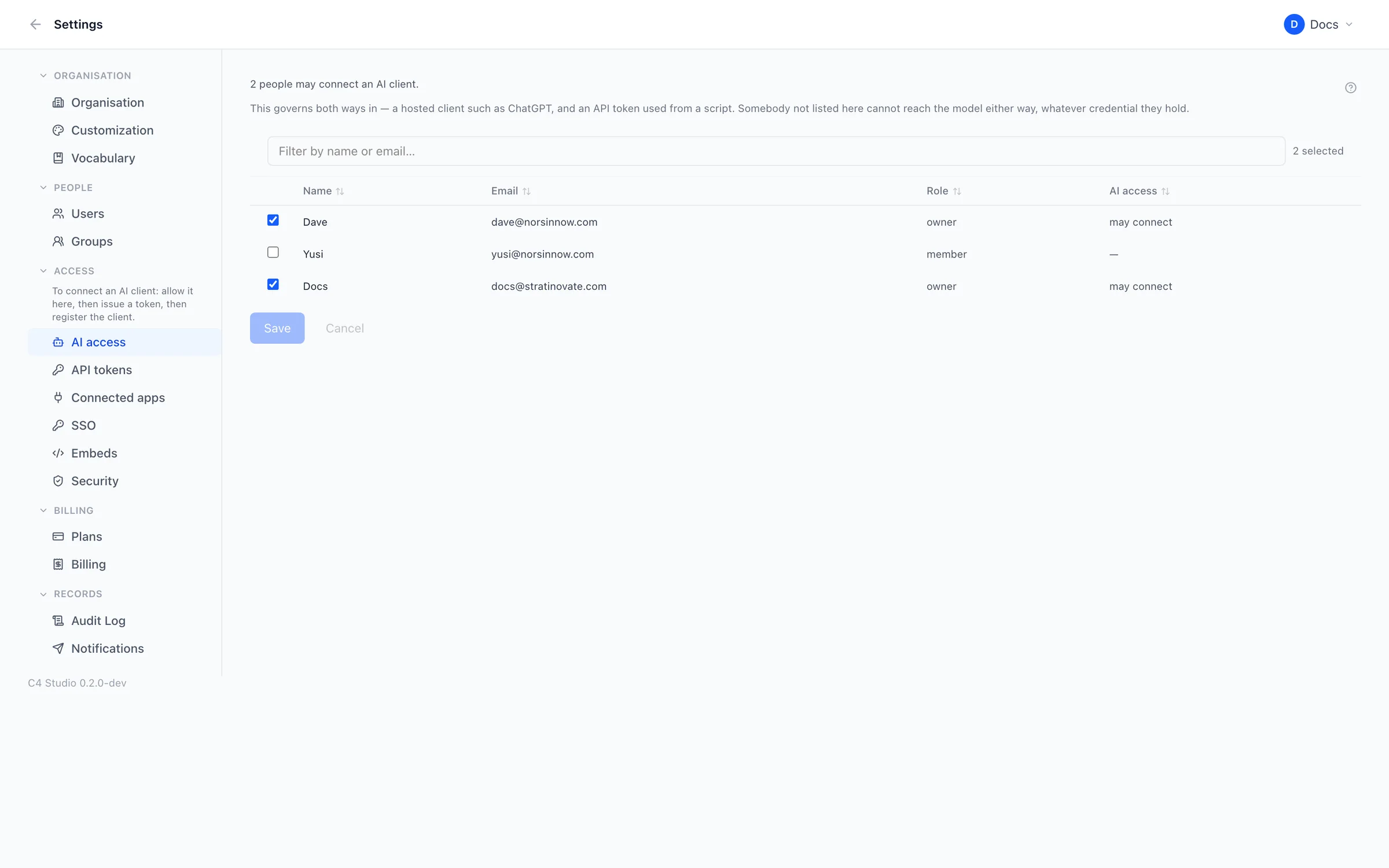
1. Allow it
An owner turns on AI access for the people who should have it.
2. Add Voussar to your assistant
Paste your organisation's Voussar address into Claude, ChatGPT or another assistant.
3. Sign in and ask
Approve the connection, and start asking questions about your architecture.
Put your architecture on solid ground.
Start free and bring one real system across. You'll know within an afternoon whether your diagrams can stay true.
Free plan forever · 14-day trial of every paid plan · Hosted in the UK